A simple guide to accessing omnichain DeFi with Keplr Wallet
DeFi should be open, transparent, and easy to access.
Too often, users face complex bridges, wrapped assets, and fragmented tools just to move between chains. That friction slows innovation and limits opportunity.
Rujira takes a different path.
We are building an omnichain DeFi hub powered by native assets, where you can trade, lend, borrow, and earn without bridges or custodians.
Getting started takes less than a minute.
This guide walks you through setting up Keplr Wallet and funding your wallet so you can start using Rujira’s omnichain DeFi apps immediately.
Step by Step: Start Using Rujira With Keplr
You can get started on Rujira in 3 simple steps. Only follow the options that apply to you:
Step 1: Install Keplr
Step 2: Set up or import your Rujira wallet
2.1 New User
2.2 Google Connect
2.3 Existing Wallet
2.4 Hardware Wallet (Ledger or Keystone)
Step 3: Fund your Rujira wallet
3.1 Deposit assets from another blockchain
3.2 Swap Directly with Rujira Swap
3.3 Deposit from a Centralized Exchange (CEX)
Step 1: Install Keplr Wallet
Keplr is the recommended wallet for Rujira.
It supports Rujira alongside Bitcoin, Ether eum, and many other native chains, all inside one interface.
Install Keplr:
Available as:
Browser extension
Mobile app
Once installed, you are ready to create or connect your hardware wallet.

Step 2: Set Up Your Wallet
Open Keplr wallet and choose the option that applies to you to create your wallet for Rujira:
New user
Google Connect
Existing crypto users
Hardware Wallet (Ledger or Keystone)
Option 2.1: New user (seed phrase)
Create a new wallet
Choose 12 or 24 words (24 is more secure)
Write down and safely store your recovery phrase
Verify it
Name your wallet
Enable THORChain
Wallet created.
Go to step 3 to connect Keplr with Rujira and deposit or swap assets to your wallet on Rujira.
Option 2.2: Google Connect
Sign in with Google
Approve permissions
Name your wallet
Back up your private key
Enable THORChain
Wallet created.
Go to step 3 to connect Keplr with Rujira and deposit or swap assets to your wallet on Rujira.
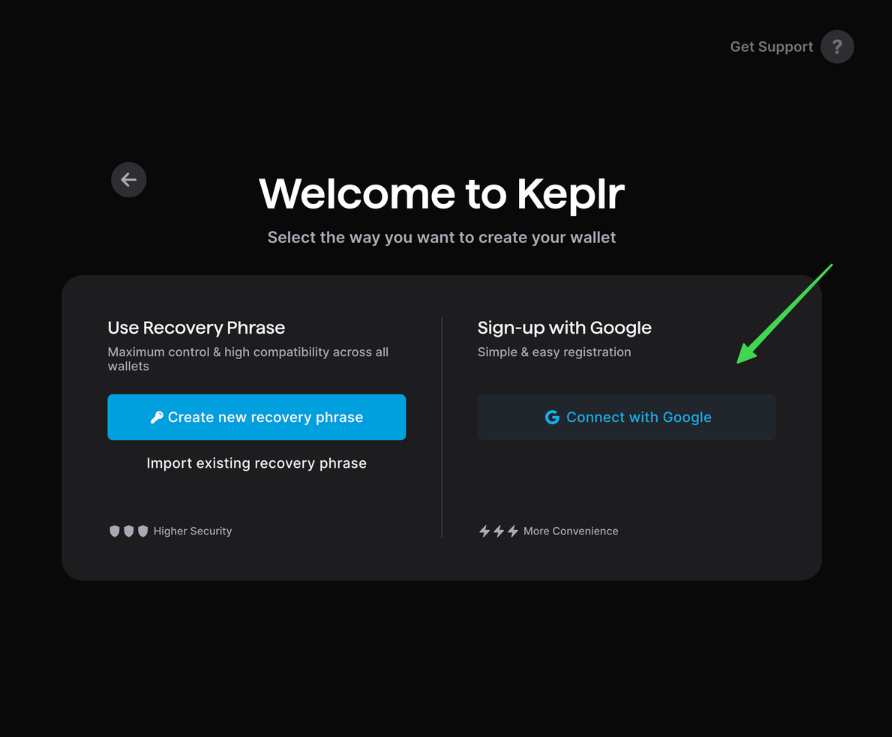
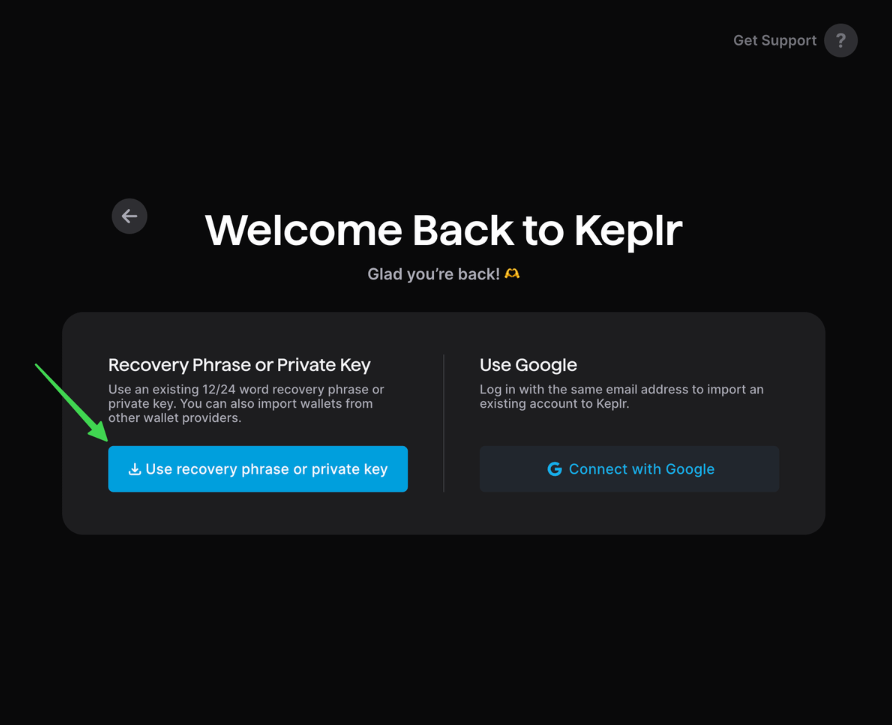
Option 2.3: Existing wallet
Already have crypto
Import using your recovery phrase or private key
Enter credentials
Name your wallet
Enable THORChain
Wallet created.
Go to step 3 to connect Keplr with the Rujira site and fetch assets on other chains in your portfolio, then deposit or swap to your wallet on Rujira.
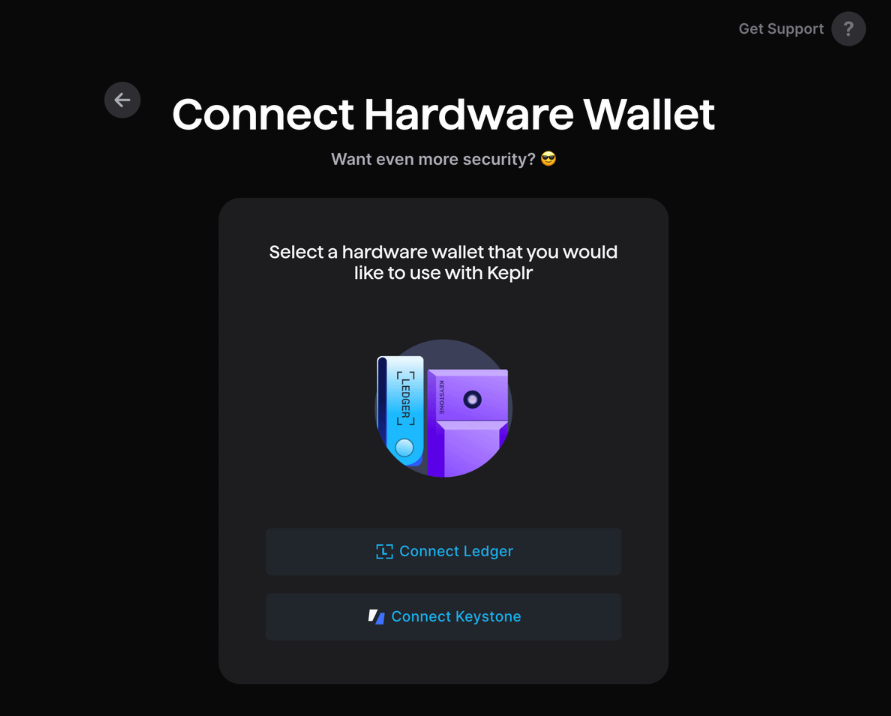
Option 2.4: Hardware wallets (Ledger or Keystone)
For hardware wallets:
Connect Ledger or Keystone
Follow on screen instructions
Enable THORChain
Wallet created.
Go to step 3 to connect Keplr with the Rujira site and fetch assets on other chains in your portfolio, then deposit or swap to your wallet on Rujira.
Step 3: Fund Your Wallet
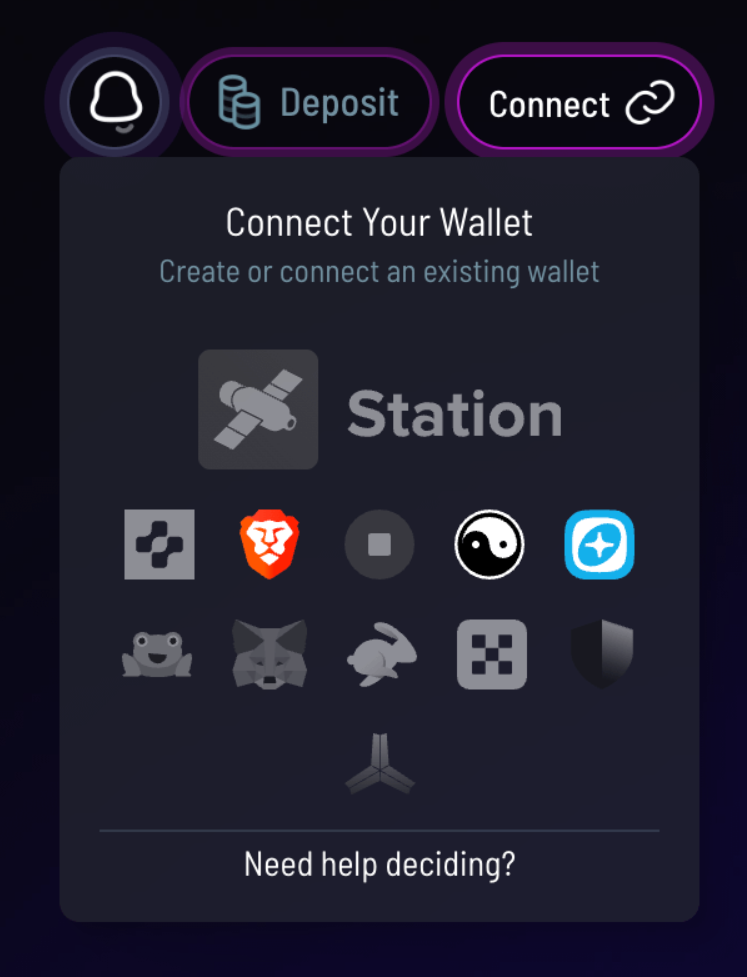
First, connect Keplr to the Rujira site in the top-right of the page. Once Keplr is connected, you can bring assets onto your wallet on Rujira in multiple ways. Choose your preferred option:
3.1: Deposit assets from another blockchain
3.2: Swap using Rujira Swap
Deposit from a Centralized Exchange (CEX)
Link: Portfolio
3.1 Deposit assets from another blockchain
Connect a second wallet to Rujira, like MetaMask or Rabby to deposit assets from another blockchain to your Rujira wallet.
Deposit in the top-right
Select asset
Choose source chain and amount
Confirm
Deposits may take a few minutes or more, depending on the chain.
Link: Portfolio
Option 3.2: Swap Directly with Rujira Swap
Connect a second wallet to Rujira, like MetaMask or Rabby to swap assets from another blockchain to your Rujira wallet.
In the header menu, open Trade → Token Swap
Select source asset and amount
Choose destination assets “on Rujira”
Confirm
Assets arrive in your wallet swiftly after the swap completes.
It’s optional to connect a second wallet to Rujira, like MetaMask or Rabby, to deposit assets from another blockchain to your Rujira wallet.
Link: Rujira Swap
Option 3.3: Deposit from a Centralized Exchange (CEX)
This is ONLY for exchanges that support RUNE or RUJI token withdrawals via the THORChain network.
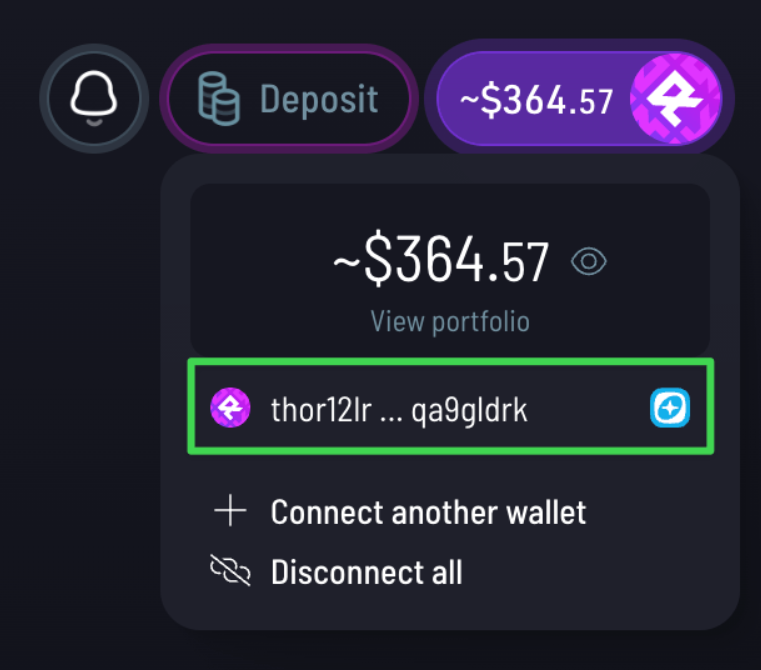
On the Rujira site, copy your “thor” address in the top-right corner of the page or from the portfolio page
On the CEX, withdraw to your “thor” address
Verify your address and try with a small test amount first.
Note: This is not for other assets, like BTC, ETH, etc. Those first need to be withdrawn to their home chain (Bitcoin, Ethereum, etc.), and then deposited to Rujira via step 3.1 or 3.2.
Using Rujira on Mobile
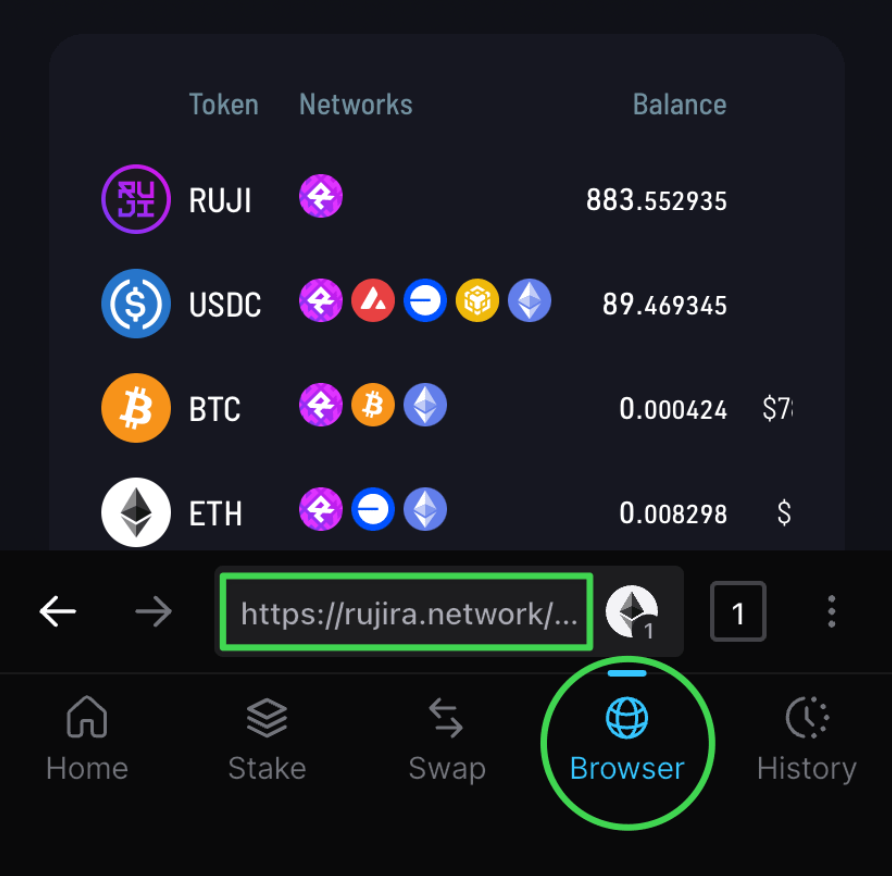
Keplr includes a built in browser.
Simply open the Rujira website inside the app and your wallet connects automatically. You can use the full platform directly from your phone.
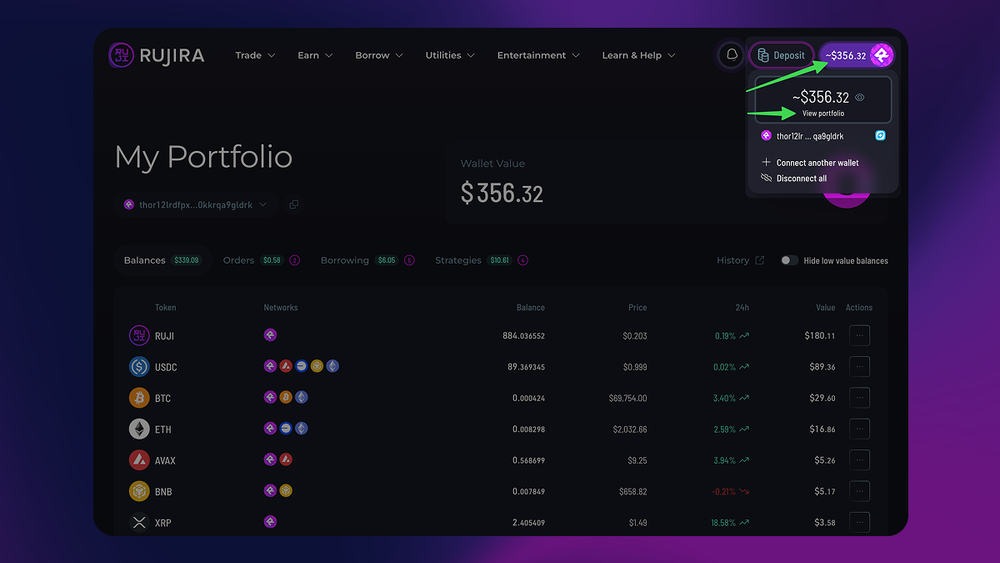
View Your Portfolio
Track everything in one place.
Click your portfolio value (top-right)
Or select “View portfolio”
See all balances across chains with a single view.
Link: Portfolio
Why Rujira
Rujira is designed around three core principles:
Native assets, no wrapping
Transparent and on chain markets
Fair access for everyone
From swaps and trading to lending, borrowing, and liquidations, everything happens directly from your wallet. You stay in control at all times.
What You Can Do on Rujira
Once funded, you can immediately:
Swap tokens
Trade on Rujira Trade
Provide liquidity
Lend and borrow
Participate in liquidations
Run DeFi strategies
Earn yield
All from your own wallet. No custodians. No bridges. No hidden mechanics.
Omnichain DeFi Starts Here
Rujira makes cross chain DeFi simple, transparent, and accessible.
Install Keplr, connect your wallet, and you are ready in minutes.
👉 Try Rujira today and explore omnichain DeFi for yourself.